Why Human-Centered Design Matters in the AI Era
Artificial intelligence is reshaping industries, but in creative fields like digital design, it raises critical questions about authenticity and human creativity. With AI-generated art and chatbots becoming ubiquitous, it's easy to feel overwhelmed by technology. However, the key to successful AI products isn't just technical capability—it's humanization.
At MacPaw, we saw AI as an opportunity to enhance, not replace, human creativity. Our goal was to create an AI assistant that feels personal, empathetic, and genuinely useful. This led to the development of Eney, a proactive AI assistant designed with a character-driven approach.
Core Insight: The most successful AI tools are those that keep humans at the center, balancing utility with emotional connection.
The Challenge with Traditional AI Assistants
Conventional AI assistants like ChatGPT use a simple textbox interface—familiar but often transactional. While consistent, this format lacks personality and emotional resonance. We wanted to break this mold and create something more engaging.
Our solution? Introduce a character that users can connect with—a digital companion that feels approachable and expressive, not just another tool.

Figure: The iterative design process behind Eney, emphasizing human decisions at every step.
Designing Eney: Balancing Personality and Usability
Creating Eney wasn't just about aesthetics; it was about intentional design choices that enhance user experience. Here are the key decisions we made:
1. Shape and Form
After exploring various shapes, we settled on a circular figure. It's simple, approachable, and conveys calmness—like a floating companion rather than a rigid UI element.
2. Emotional Expression
Eney's minimal face design uses eyes as the primary emotional connector. This allows for expressive but subtle animations that don't distract from tasks. For instance, when working, Eney mimics a loading icon, providing visual feedback without being overwhelming.
3. Color Psychology
Most AI products use blue (associated with intelligence), but we chose pink to stand out. It's warm, inviting, and visually stimulating, making Eney memorable on screen.
4. Human Oversight
Every design decision—from style to emotion—was made by human designers. AI supported the process, but humans controlled the vision. This is crucial: AI should assist, not dictate, creative work.
# Example: Implementing a simple state-based animation for Eney
class EneyState:
    def __init__(self):
        self.state = "idle"
        self.emotions = {"happy": "😊", "working": "⏳", "thinking": "🤔"}

    def set_state(self, state):
        if state in self.emotions:
            self.state = state
            print(f"Eney is now {state}: {self.emotions[state]}")
        else:
            print("Unknown state")

# Usage
eyney = EneyState()
eyney.set_state("working")  # Output: Eney is now working: ⏳
Code comment: This simple Python class demonstrates how to manage Eney's emotional states programmatically.
The Role of Artists in the AI Era
Despite AI’s ability to generate content rapidly, it lacks the intentionality and taste that human designers bring. As the original article notes, "curiosity helps build taste over time, and taste becomes more valuable, not less, in the AI era."
Limitations and Cautions
- AI can't replace human judgment: AI-generated designs often lack the nuanced understanding of context and emotion.
- Ethical concerns: Training AI on artists' work without consent is problematic. Designers must advocate for fair practices.
- Over-reliance on tools: Using AI excessively can stifle creativity. It's essential to use AI as a supplement, not a crutch.
Practical Tips for Designers
- Use AI for research, not final output: Tools like Perplexity and ChatGPT are great for gathering inspiration and information.
- Maintain a human review process: Always have a human designer review and refine AI-generated outputs.
- Invest in your own taste: Curate inspiration, study design principles, and practice manual design to sharpen your skills.

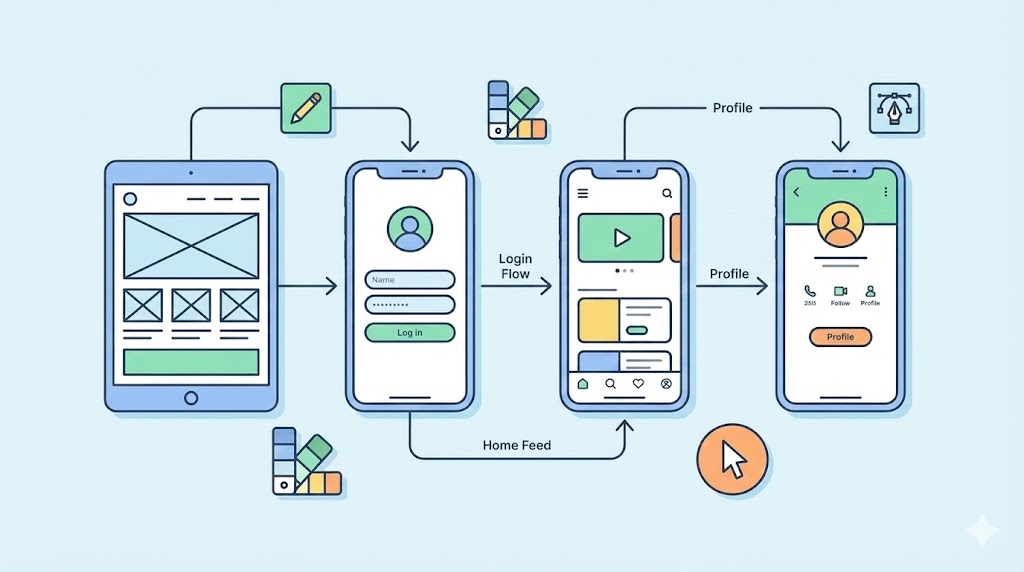
Figure: A designer actively shaping an AI interface with empathy and user needs in mind.

Conclusion: The Future of Design is Human
Eney demonstrates that AI can be both functional and emotionally resonant when designed with a human-centered approach. As we move forward, the most impactful AI products will be those that amplify human creativity rather than replace it.
For more insights on building scalable AI systems, check out this AI cancer diagnostics platform on AWS. Additionally, understanding how to secure AI infrastructure is crucial—see how Meta secures backups with HSM-based key vaults.
Next Steps for Learning
- Study human-centered design frameworks: Explore resources like IDEO’s design thinking approach.
- Experiment with character design: Try creating your own AI assistant prototype with simple animation tools.
- Stay curious: Continuously learn about AI ethics and advocate for responsible AI development.
In the end, the goal is not to fear AI but to harness it as a tool for creative expression. Let’s design a future where technology and humanity coexist harmoniously.