Why a Security Dashboard Now?
As teams scale and AI coding agents spin up projects in seconds, small misconfigurations pile up silently. A forgotten public preview deployment here, a long-lived API token there — none of them break your build, but each one widens your attack surface.
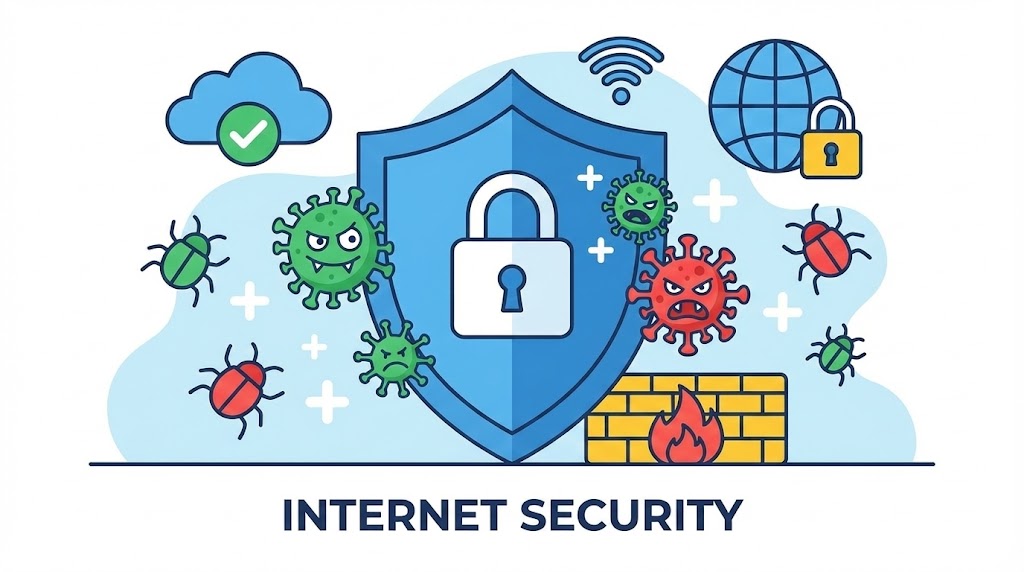
Vercel's answer is the Security Dashboard, now GA on all plans. It gives you a single view of your security posture across every account and project, ordered by risk. You can open it in the UI or trigger the same checks from the terminal with vercel security check.
The dashboard flags issues such as:
- Team members without 2FA enabled
- Long-lived credentials that can be replaced with OIDC federation
- Public preview deployments
- Non-sensitive and stale environment variables
Each finding links directly to the settings page where you can fix it, and findings that are noise for your team can be muted. The full report exports to CSV for triage or compliance reporting.
For a broader look at how product psychology shapes developer tooling adoption, see this analysis of behavioral design in UX.
The CLI: Built for Agents, Not Just Humans
The most interesting part of this release is the CLI command vercel security check. It's designed so that AI agents can read the findings, apply fixes, and re-verify — a closed loop that previously required a human in the middle.
# Run all security checks across the current team/account
vercel security check

# Scope the check to a single project (narrow change set)
vercel security check --project my-app

# Emit findings as JSON for agent consumption
vercel security check --findings
In CI or any non-interactive environment, the command automatically writes the report to stdout as JSON — no extra flags needed. That means your pipeline can parse failures and open tickets, or an agent can iterate on fixes.
Fixes an agent can apply programmatically include:
- Enabling Git fork protection
- Marking an environment variable as sensitive
- Replacing a static credential with OIDC federation
A typical agent loop looks like this:
# 1. Agent reads structured findings
vercel security check --findings > findings.json

# 2. Agent parses findings.json, applies fixes via API/CLI
# 3. Agent re-runs the check to confirm the fix
vercel security check --findings
That re-check step is what makes this genuinely useful — the agent doesn't just guess, it verifies.
If you're also working on GPU-side performance, the CUB single-call API deep dive is a good companion read on reducing boilerplate in low-level code.
What It Covers — and What It Doesn't
| Check | Auto-fixable by agent | Notes |
|---|---|---|
| Missing 2FA for team members | No | Requires user action |
| Long-lived credentials | Yes (OIDC) | Best candidate for automation |
| Public preview deployments | Partial | Depends on project config |
| Stale/non-sensitive env vars | Yes | Mark as sensitive |
| Git fork protection | Yes | Toggle via API |
Limitations to keep in mind
- It's a posture scanner, not a runtime WAF. It won't catch injection attacks, SSRF, or logic flaws in your app.
- Findings are heuristic. A "public preview deployment" may be intentional for a demo site; muting is your friend, but muting too aggressively defeats the purpose.
- Agent auto-fix is powerful but risky. If you let an agent flip OIDC federation on a production project without review, you can lock yourself out. Gate
--findings-driven fixes behind a PR or approval step. - JSON output is stdout-only in non-interactive mode — make sure your CI logs don't leak sensitive finding details to public build logs.

Should You Turn It On Today?
Yes — the cost of running vercel security check once is near zero, and the first scan usually surfaces at least one stale token or forgotten public preview. Start read-only: run the check, export to CSV, triage with your team, then enable agent-driven fixes only for the low-risk categories (env var sensitivity, fork protection).
Next steps
- Run
vercel security checkon your largest project first. - Wire the JSON output into your CI as a non-blocking report.
- Once you trust the signal, move OIDC migration to agent-assisted mode.
- Re-scan weekly — misconfigurations creep back in as teams grow.
For the official reference, see the Vercel Security Dashboard changelog.