Why Scale Python Beyond Your Laptop?
You've optimized your Python code, used multiprocessing, and maybe even played with concurrent.futures. But when faced with truly CPU-intensive tasks—like large-scale data processing, simulation, or prime number calculations—a single machine hits its limits. Distributing work across multiple servers in the cloud is the next logical step, but the complexity of cluster management often deters developers.
Enter Ray, an open-source distributed computing framework. Its core promise is simple: scale your Python applications from a laptop to a cluster with minimal code changes. In this hands-on guide, we'll transform a local prime-finding script into a distributed application running on a 6-node AWS EC2 cluster, cutting runtime by a factor of three. For foundational concepts, you can explore this comprehensive guide to modern Python scaling challenges.
From Local Script to Cluster-Ready Code
The beauty of Ray lies in its abstraction. Let's look at the core modifications needed. First, ensure Ray is installed: pip install 'ray[default]'.
Here's the original CPU-bound prime counting function, adapted for Ray:
import math
import time
import ray

# Initialize Ray. Change this line for cluster execution.
ray.init()  # For local execution
# ray.init(address='auto')  # For cluster execution

def is_prime(n: int) -> bool:
    """Check if a number is prime."""
    if n < 2:
        return False
    if n == 2:
        return True
    if n % 2 == 0:
        return False
    r = int(math.isqrt(n)) + 1
    for i in range(3, r, 2):
        if n % i == 0:
            return False
    return True

# The key change: decorating the function with @ray.remote
@ray.remote(num_cpus=1)
def count_primes(a: int, b: int) -> int:
    """Count primes in a range. This will be distributed."""
    c = 0
    for n in range(a, b):
        if is_prime(n):
            c += 1
    return c

if __name__ == "__main__":
    A, B = 10_000_000, 60_000_000  # Expanded range for the cluster
    total_cpus = int(ray.cluster_resources().get("CPU", 1))
    chunks = max(4, total_cpus * 2)  # Create more tasks than CPUs for load balancing
    step = (B - A) // chunks

    print(f"Nodes={len(ray.nodes())}, CPUs~{total_cpus}, Chunks={chunks}")
    t0 = time.time()

    # Distribute tasks
    refs = []
    for i in range(chunks):
        start = A + i * step
        end = start + step if i < chunks - 1 else B
        refs.append(count_primes.remote(start, end))  # .remote() submits the task

    # Gather results
    results = ray.get(refs)
    total = sum(results)
    print(f"Total primes={total}, Time={time.time() - t0:.2f}s")
The transition from local to cluster execution boils down to one line: changing ray.init() to ray.init(address='auto'). Ray's runtime automatically discovers the cluster head node.
Configuring and Launching Your Ray Cluster on AWS
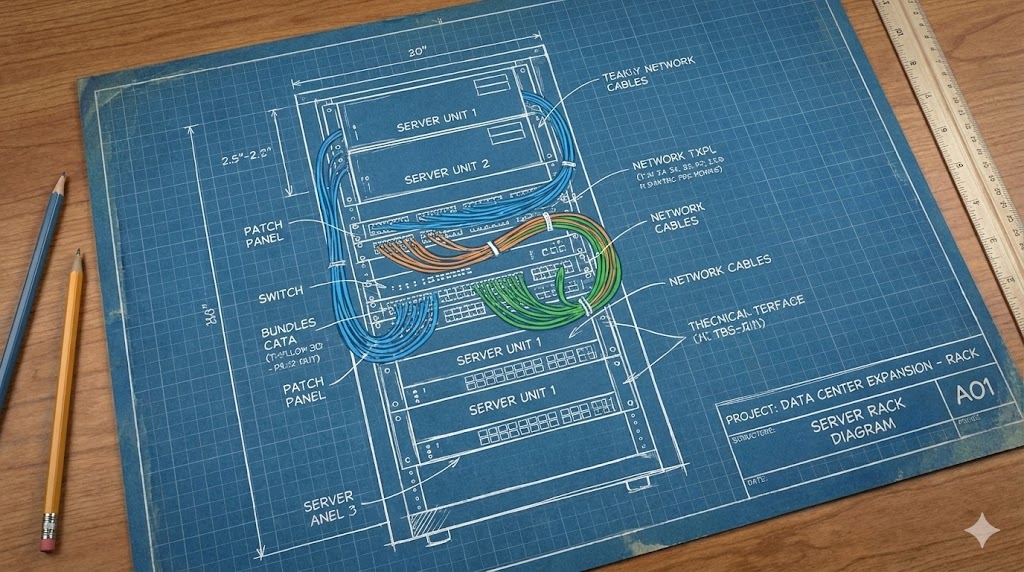
Ray uses a declarative YAML file to define the cluster. Below is a configuration for a cluster with a head node and 5 worker nodes using AWS EC2 Spot Instances for cost efficiency.
cluster_name: ray_tutorial_cluster
provider:
  type: aws
  region: us-east-1
  availability_zone: us-east-1a
auth:
  ssh_user: ec2-user
  ssh_private_key: ~/.ssh/your-key.pem

max_workers: 10
idle_timeout_minutes: 5  # Saves cost by scaling down idle nodes

head_node_type: head_node
available_node_types:
  head_node:
    node_config:
      InstanceType: c7g.8xlarge
      ImageId: ami-0abcdef1234567890  # Use a recent Amazon Linux 2 AMI
      KeyName: your-key-name
  worker_node:
    min_workers: 5
    max_workers: 5
    node_config:
      InstanceType: c7g.8xlarge
      ImageId: ami-0abcdef1234567890
      KeyName: your-key-name
      InstanceMarketOptions:
        MarketType: spot  # Use Spot instances for workers to reduce cost

setup_commands:
  - pip install -U "ray[default]"
Key Sections Explained:
provider: Defines cloud (AWS) and region.auth: SSH credentials for node access.available_node_types: Specifies instance types for head and workers. Using Spot instances for workers can cut costs by 60-90%.setup_commands: Bootstraps each node with Ray.
Launch and Manage the Cluster:
# Launch the cluster
ray up cluster.yaml -y

# Submit your job to the cluster
ray exec cluster.yaml 'python primes_ray.py'

# Monitor the dashboard (URL provided after 'ray up')
# Terminate the cluster and all AWS resources
ray down cluster.yaml -y
Critical Considerations & Limitations:
- Cost Vigilance: Always run
ray downto terminate resources. Use Spot instances and set lowidle_timeout_minutes. - Networking: Ensure your VPC/subnet allows internal communication (default usually works). SSH access from your IP is required.
- Statefulness: Ray clusters are often ephemeral. For persistent storage, mount an AWS EFS volume or use S3 for data.
- Debugging Complexity: Debugging distributed tasks is harder. Use
ray logsand the web dashboard extensively.
The move towards managed, scalable infrastructure is a major trend, similar to how projects like React are evolving within larger foundations, as discussed in this analysis of the React Foundation's launch under the Linux Foundation.

Next Steps and Final Advice
You've successfully run a distributed Python workload on AWS. The performance leap—from 18 seconds locally to 5 seconds on the cluster—demonstrates the power of this paradigm.
Where to Go From Here:
- Explore Ray's Ecosystem: Look into Ray Train for distributed ML, Ray Serve for model serving, and Ray Data for large-scale data processing.
- Multi-Cloud & Kubernetes: Ray can deploy on GCP, Azure, or any Kubernetes cluster via the KubeRay operator.
- Optimize Data Locality: For data-intensive jobs, use
ray.put()to store large objects in the cluster's distributed object store and pass their references to tasks.
Pro Tip: Start with a small, functional prototype on your local machine using ray.init(). Once the logic is correct, switch to address='auto' and scale out. This iterative approach saves time and cloud credits.
Distributed computing is no longer just for large tech companies. Frameworks like Ray democratize access to cluster-scale power. Start by parallelizing your most time-consuming function, measure the impact, and scale as needed. Remember, the goal is not just speed, but efficient resource utilization. For more insights on the original implementation, you can refer to the detailed guide on Towards Data Science.